
Claude Code
The easiest way to write code
The easiest way to write code

OpenAI's coding agent for cloud, terminal, and IDE workflows

The AI that actually does things.

The AI-powered search engine

AI answer engine and pair programmer

Usage-based cloud hosting for apps, databases, and internal tooling

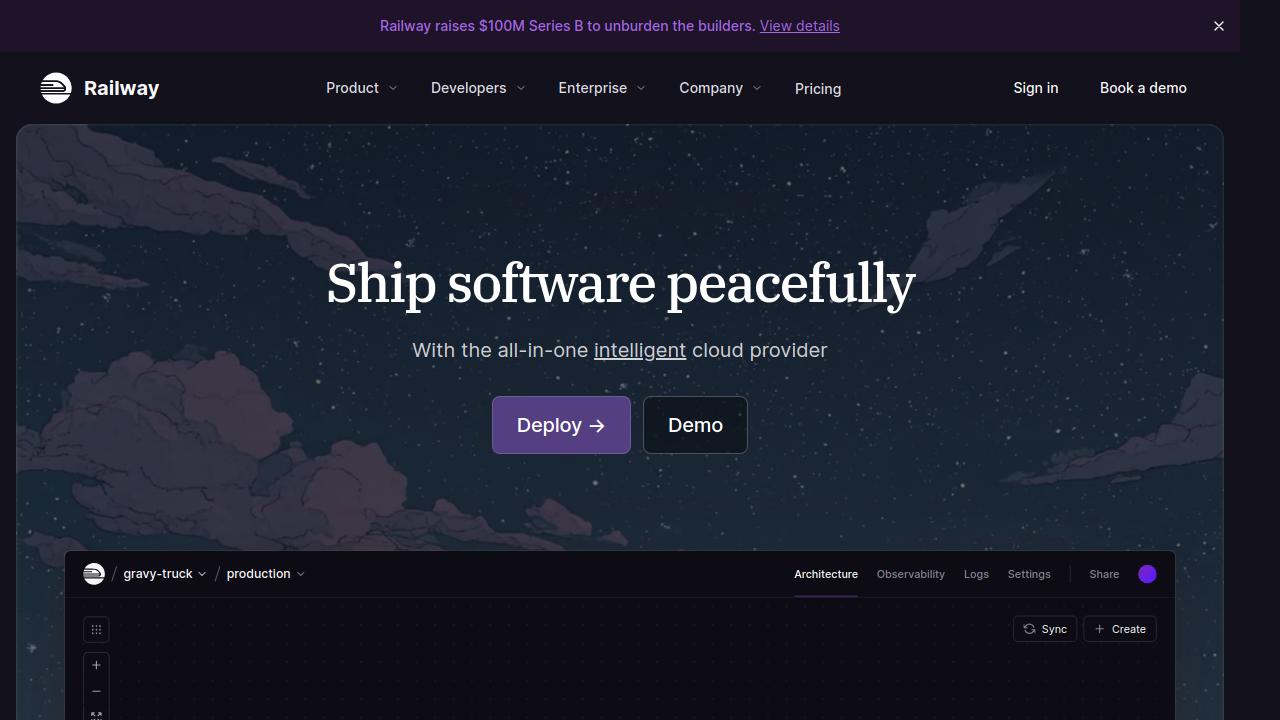
Usage-based cloud hosting for apps, databases, and internal tooling
Railway is a developer-focused cloud platform for deploying apps, databases, static sites, and background workers with fast setup, built-in networking, observability, templates, and per-second usage billing.
Railway is a cloud platform built to make deployment much less painful for developers. You connect a repo or start from a template, Railway builds and deploys the service, wires up networking, exposes logs and metrics, and lets you scale without having to assemble a full DevOps stack first.
It is best understood as a middle ground between ultra-simple frontend hosting and lower-level infrastructure platforms. Railway gives you enough control to run production web apps, APIs, workers, databases, and internal tools, but it keeps the setup model lightweight.
That positioning is especially attractive for teams building quickly with tools like Claude Code, where the bottleneck often shifts from writing code to deploying and operating it cleanly.
Railway describes itself as an all-in-one cloud provider for provisioning infrastructure, developing locally, and deploying to the cloud. In practice, that means you can use it to run:
The platform is especially attractive if you want to ship quickly from GitHub without spending days on Dockerfiles, Kubernetes manifests, or cloud networking.
The typical Railway workflow is straightforward:
If your service is linked to GitHub, Railway can automatically redeploy when new commits hit the configured branch. It also supports waiting for CI checks before deployment, which is useful when you want a safer production flow.
Railway is built around fast repo-to-production deployment. For many apps, you connect a GitHub repository and Railway handles the build and deploy flow with minimal configuration.
That makes it a strong fit for:
Railway has a template system for deploying preconfigured stacks and common services quickly. Templates can include full applications or infrastructure pieces like databases, and they can be deployed into new or existing projects.
This is one of Railway's better features for teams that want a faster starting point:
Railway includes both public and private networking. Public networking gives you internet-facing HTTP/HTTPS endpoints with automatic SSL, while private networking allows service-to-service communication inside the project using internal DNS.
That combination matters because it removes a lot of common setup friction:
Railway also supports TCP proxying for non-HTTP services, which is useful for some databases, game servers, or custom protocols.
Railway volumes provide persistent disk storage for services that need to keep state. This is important for workloads where ephemeral filesystem storage is not enough.
Typical use cases include:
For many apps, Railway volumes are enough to avoid managing a separate storage server, though you should still evaluate object storage or external data services if your workload grows past the simple case.
Railway includes logs, metrics, and an observability dashboard out of the box. Logs can be viewed per deployment, across an environment, or through the CLI. The observability UI can also display metrics like CPU, memory, network, and disk usage.
This is a practical advantage for smaller teams because it reduces tool sprawl. You can debug deployments, inspect runtime behavior, and set alerts without wiring together a separate logging pipeline on day one.
Railway also offers a CLI for deployment, logs, SSH access, volumes, networking, and other operational tasks. That matters if you want a platform that works well both from the dashboard and from the terminal.
For developers working with AI coding agents like Claude Code or fast iteration loops, that combination is useful: build locally, push to GitHub, deploy quickly, inspect logs, adjust config, and repeat.
Railway is a strong fit for:
It is less ideal when you need deep low-level infrastructure control, highly custom networking, or the kind of compliance and procurement model that usually pushes teams toward larger cloud vendors.
Railway is a particularly good match for vibe-coded projects because those apps usually optimize for speed of iteration first. You prompt your way into an MVP, connect the repository, add the required environment variables, and get a live deployment without having to formalize a full infrastructure stack upfront.
That matters because vibe-coded apps often change shape quickly:
Railway fits that workflow well. You can push a repo, attach a database, expose a public service, keep internal services private, and inspect logs from one place. For solo builders and small teams, that reduces the gap between "the app works on my laptop" and "the app is live."
Railway also makes sense for many AI apps, especially the common pattern of a web UI plus an API layer plus a few supporting services. If your product depends on external model providers, vector databases, queues, cron jobs, or background workers, Railway gives you a simple way to run those moving parts together.
Typical AI app workloads that fit Railway well include:
The main reason Railway works here is not that it is an AI-specific platform. It is that most AI tools still need normal application infrastructure: web servers, workers, networking, logs, secrets, scheduled jobs, and persistent services. Railway handles that layer cleanly, which lets you focus on prompts, product logic, and model integrations instead of spending your time on infrastructure assembly.
For lean AI teams, that tradeoff is often exactly right.
Railway uses usage-based billing with per-second resource pricing. As of March 9, 2026, the public pricing page shows:
Railway also publishes usage-based rates for compute, memory, volumes, egress, and object storage. That model can be cost-effective for small or bursty projects, but teams with steady production traffic should still estimate real monthly usage instead of assuming it will always be cheaper than fixed-price hosts.
The dashboard view above is a good example of how Railway exposes resource usage and billing together. You can see CPU, RAM, egress, and volume usage alongside the corresponding charges, which makes it easier to understand where project costs are coming from.
Pros:
Cons:
Railway is one of the best deployment platforms for developers who value speed, sane defaults, and an integrated workflow. It is not the most customizable cloud platform, but that is exactly why many teams will prefer it.
If your priority is to ship applications, connect services, watch logs, and iterate quickly without building your own platform layer first, Railway is an excellent choice.
Might contain affiliate links
Might contain affiliate links
Railway is a developer-focused cloud platform for deploying apps, databases, static sites, and background workers with fast setup, built-in networking, observability, templates, and per-second usage billing.
Usage-based cloud hosting for apps, databases, and internal tooling
Railway is a developer-focused cloud platform for deploying apps, databases, static sites, and background workers with fast setup, built-in networking, observability, templates, and per-second usage billing.
OpenClaw is the AI that actually does things. Clears your inbox, sends emails, manages your calendar, checks you in for flights. All from WhatsApp, Telegram, or any chat app you already use.
The AI that actually does things.
OpenClaw is the AI that actually does things. Clears your inbox, sends emails, manages your calendar, checks you in for flights. All from WhatsApp, Telegram, or any chat app you already use.
OpenAI Codex is a software engineering agent that can work asynchronously in the cloud, pair with you in the terminal, and plug into your IDE. It is built for repo-aware coding, testing, review, and task delegation.
OpenAI's coding agent for cloud, terminal, and IDE workflows
OpenAI Codex is a software engineering agent that can work asynchronously in the cloud, pair with you in the terminal, and plug into your IDE. It is built for repo-aware coding, testing, review, and task delegation.
Phind is an AI answer engine that rapidly creates mini-apps to answer and visualize your questions. It also works as an AI pair programmer for debugging, planning, and shipping software faster.
AI answer engine and pair programmer
Phind is an AI answer engine that rapidly creates mini-apps to answer and visualize your questions. It also works as an AI pair programmer for debugging, planning, and shipping software faster.
Claude Code is Anthropic's agentic coding tool that lives in your terminal. It can edit files, run commands, search your codebase, and manage git workflows — all through natural language. Built on Claude's intelligence, it turns your CLI into a full-stack coding partner.
The easiest way to write code
Claude Code is Anthropic's agentic coding tool that lives in your terminal. It can edit files, run commands, search your codebase, and manage git workflows — all through natural language. Built on Claude's intelligence, it turns your CLI into a full-stack coding partner.
Perplexity is a search engine that uses AI to answer questions and help you find information.
The AI-powered search engine
Perplexity is a search engine that uses AI to answer questions and help you find information.
Claude Code is Anthropic's agentic coding tool that lives in your terminal. It can edit files, run commands, search your codebase, and manage git workflows — all through natural language. Built on Claude's intelligence, it turns your CLI into a full-stack coding partner.
The easiest way to write code
Claude Code is Anthropic's agentic coding tool that lives in your terminal. It can edit files, run commands, search your codebase, and manage git workflows — all through natural language. Built on Claude's intelligence, it turns your CLI into a full-stack coding partner.
OpenAI Codex is a software engineering agent that can work asynchronously in the cloud, pair with you in the terminal, and plug into your IDE. It is built for repo-aware coding, testing, review, and task delegation.
OpenAI's coding agent for cloud, terminal, and IDE workflows
OpenAI Codex is a software engineering agent that can work asynchronously in the cloud, pair with you in the terminal, and plug into your IDE. It is built for repo-aware coding, testing, review, and task delegation.
OpenClaw is the AI that actually does things. Clears your inbox, sends emails, manages your calendar, checks you in for flights. All from WhatsApp, Telegram, or any chat app you already use.
The AI that actually does things.
OpenClaw is the AI that actually does things. Clears your inbox, sends emails, manages your calendar, checks you in for flights. All from WhatsApp, Telegram, or any chat app you already use.
Perplexity is a search engine that uses AI to answer questions and help you find information.
The AI-powered search engine
Perplexity is a search engine that uses AI to answer questions and help you find information.
Phind is an AI answer engine that rapidly creates mini-apps to answer and visualize your questions. It also works as an AI pair programmer for debugging, planning, and shipping software faster.
AI answer engine and pair programmer
Phind is an AI answer engine that rapidly creates mini-apps to answer and visualize your questions. It also works as an AI pair programmer for debugging, planning, and shipping software faster.
Claude Code is Anthropic's agentic coding tool that lives in your terminal. It can edit files, run commands, search your codebase, and manage git workflows — all through natural language. Built on Claude's intelligence, it turns your CLI into a full-stack coding partner.
The easiest way to write code
Claude Code is Anthropic's agentic coding tool that lives in your terminal. It can edit files, run commands, search your codebase, and manage git workflows — all through natural language. Built on Claude's intelligence, it turns your CLI into a full-stack coding partner.
OpenAI Codex is a software engineering agent that can work asynchronously in the cloud, pair with you in the terminal, and plug into your IDE. It is built for repo-aware coding, testing, review, and task delegation.
OpenAI's coding agent for cloud, terminal, and IDE workflows
OpenAI Codex is a software engineering agent that can work asynchronously in the cloud, pair with you in the terminal, and plug into your IDE. It is built for repo-aware coding, testing, review, and task delegation.
OpenClaw is the AI that actually does things. Clears your inbox, sends emails, manages your calendar, checks you in for flights. All from WhatsApp, Telegram, or any chat app you already use.
The AI that actually does things.
OpenClaw is the AI that actually does things. Clears your inbox, sends emails, manages your calendar, checks you in for flights. All from WhatsApp, Telegram, or any chat app you already use.
Phind is an AI answer engine that rapidly creates mini-apps to answer and visualize your questions. It also works as an AI pair programmer for debugging, planning, and shipping software faster.
AI answer engine and pair programmer
Phind is an AI answer engine that rapidly creates mini-apps to answer and visualize your questions. It also works as an AI pair programmer for debugging, planning, and shipping software faster.
If you need cheap AI coding hosting for an AI-built app, Railway is one of the best places to run the backend, workers, databases, and internal services without building a full DevOps stack first.
Discover how skills.sh is revolutionizing AI-assisted development with reusable capabilities that extend LLMs beyond their training data, making vibe coding more powerful and accessible than ever.
Use this Railway referral offer to get $20 in credit, then decide whether Railway is the right host for your backend, worker, or internal tool.
Boris, the creator of Claude Code, shared his personal setup and 13 best practices for getting the most out of Claude Code. Here's everything he revealed.