
Claude Code
The easiest way to write code
The easiest way to write code

OpenAI's coding agent for cloud, terminal, and IDE workflows

The AI that actually does things.

The AI-powered search engine

AI answer engine and pair programmer

Usage-based cloud hosting for apps, databases, and internal tooling

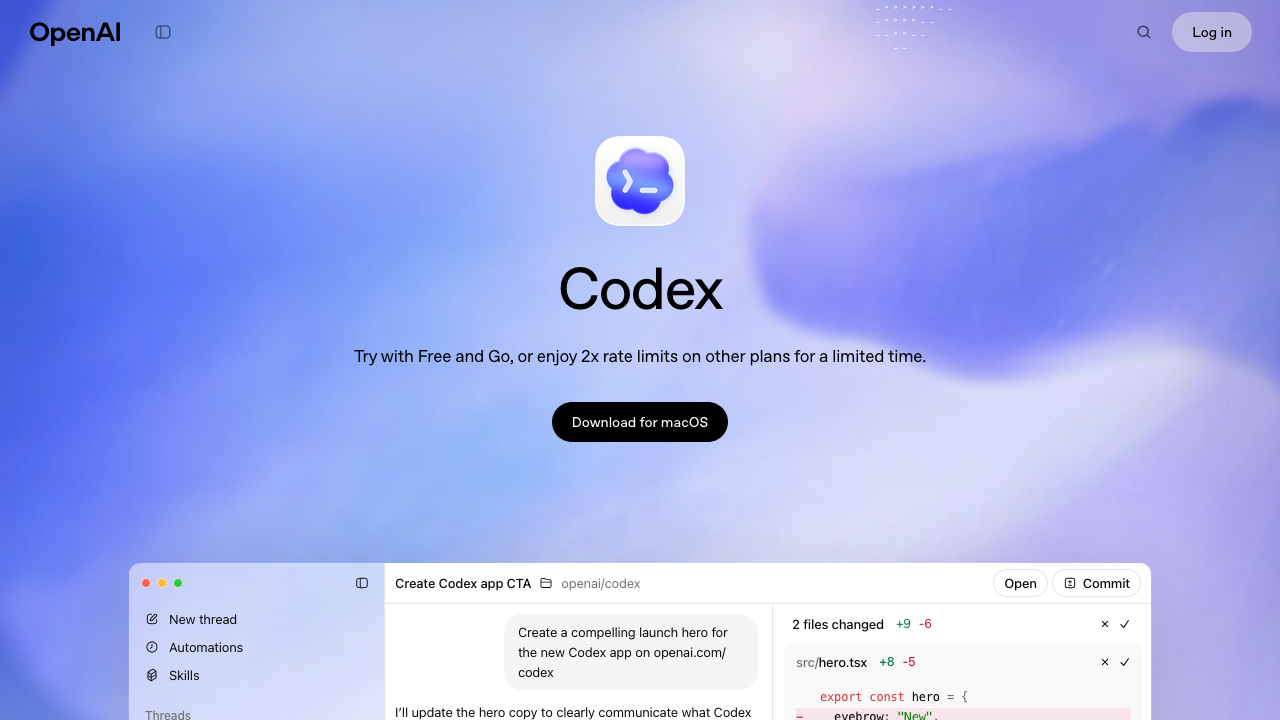
OpenAI's coding agent for cloud, terminal, and IDE workflows
OpenAI Codex is a software engineering agent that can work asynchronously in the cloud, pair with you in the terminal, and plug into your IDE. It is built for repo-aware coding, testing, review, and task delegation.
OpenAI Codex is OpenAI's modern software engineering agent. As of March 14, 2026, the name refers to a full coding workflow across ChatGPT, the terminal, and IDE integrations rather than only the older code model many developers remember.
Compared with Claude Code, Codex puts more emphasis on asynchronous cloud execution: you can hand off a task, let it work in its own environment, and come back to a result. Compared with research-first tools like Phind and Perplexity, Codex is much more about taking action inside a repository than gathering sources.
At its simplest, Codex is a repo-aware coding agent. You give it a task such as fixing a bug, writing tests, cleaning up a refactor, or answering a question about a codebase, and it can inspect files, propose changes, run commands, and explain the outcome.
The current product spans three main surfaces:
That combination makes Codex one of the more flexible entries in the broader market of AI tools for coding. It can behave like a local pair programmer when you want fast iteration, or like an asynchronous teammate when you want to offload a larger task.
A typical Codex workflow looks like this:
This works best in repositories with decent test coverage and clear project instructions. Codex supports repository-level guidance through AGENTS.md, which is especially useful when you want the agent to follow conventions for architecture, testing, or release process.
The biggest differentiator is Codex's cloud mode. Instead of keeping the agent tied to your current machine, you can delegate tasks that run in isolated environments and finish asynchronously.
That is useful for work like:
This is where Codex feels different from a classic autocomplete tool. It is much closer to delegating a bounded engineering task than asking for a single code snippet.
Codex CLI gives you the local version of that workflow in your terminal. If you prefer the speed and control of a command-line loop, Codex can work directly in the project you already have checked out.
That makes it a good fit for:
For developers already comfortable with tools like Claude Code, this is the most familiar part of Codex. The difference is that OpenAI positions it as one part of a larger system that also includes cloud delegation and editor workflows.
OpenAI also ships Codex IDE support, which matters if you do not want the terminal to be the only interface. The IDE flow is useful when you want to review changes in place, keep visual context around the current file, and move between editor-driven work and agent-driven work more fluidly.
In practice, this reduces the tradeoff between GUI-first and terminal-first workflows. You can use Codex where it fits instead of committing to only one environment.
Codex is much better when the repo tells it how to behave. AGENTS.md instructions, testing commands, and explicit project conventions all help it produce safer results.
That matters for larger teams because the real bottleneck is rarely raw code generation. It is alignment:
If your repository already has that operational clarity, Codex becomes much more effective.
Codex is not only useful for "build this feature from scratch" prompts. It is also strong in mixed workflows where a human defines direction and the agent handles execution-heavy steps.
A practical example:
That sequence mirrors how many teams already work. Research, implementation, and deployment are different jobs. Codex is strongest in the implementation layer.
Codex is a strong fit for vibe coding because it helps bridge the gap between "the AI made something that mostly works" and "the repository is maintainable enough to keep shipping."
That usually means:
For solo builders, that is a big deal. The hard part of vibe coding is not getting version one on screen. The hard part is keeping momentum once the app becomes real.
Codex is especially good for:
It is less compelling if your main need is broad source-backed research, where Perplexity or Phind are usually better starting points. It is also not automatically the best choice if you want a purely local, terminal-only experience and do not care about asynchronous cloud execution, where Claude Code remains a very strong alternative.
As of March 14, 2026, OpenAI positions Codex access in two main ways:
The practical takeaway is that Codex pricing depends on how you use it. If you mostly work inside ChatGPT, plan access matters more. If you run heavy agent loops through the CLI or API, model-level usage costs matter more.
For teams, that means Codex can look inexpensive for occasional task delegation and much more expensive for continuous, high-volume coding runs. As with any agentic tool, the bill tracks how much context, execution, and iteration you ask it to do.
Pros:
AGENTS.md instructionsCons:
OpenAI Codex is best understood as a coding agent system rather than a single interface. Its main advantage is that it can meet you in several modes: cloud delegation when you want to offload work, terminal execution when you want speed, and IDE support when you want close visual control.
If your workflow already lives somewhere between ChatGPT, the shell, and your editor, Codex is one of the most complete options available right now.
Might contain affiliate links
Might contain affiliate links
OpenAI Codex is a software engineering agent that can work asynchronously in the cloud, pair with you in the terminal, and plug into your IDE. It is built for repo-aware coding, testing, review, and task delegation.
OpenAI's coding agent for cloud, terminal, and IDE workflows
OpenAI Codex is a software engineering agent that can work asynchronously in the cloud, pair with you in the terminal, and plug into your IDE. It is built for repo-aware coding, testing, review, and task delegation.
OpenClaw is the AI that actually does things. Clears your inbox, sends emails, manages your calendar, checks you in for flights. All from WhatsApp, Telegram, or any chat app you already use.
The AI that actually does things.
OpenClaw is the AI that actually does things. Clears your inbox, sends emails, manages your calendar, checks you in for flights. All from WhatsApp, Telegram, or any chat app you already use.
Claude Code is Anthropic's agentic coding tool that lives in your terminal. It can edit files, run commands, search your codebase, and manage git workflows — all through natural language. Built on Claude's intelligence, it turns your CLI into a full-stack coding partner.
The easiest way to write code
Claude Code is Anthropic's agentic coding tool that lives in your terminal. It can edit files, run commands, search your codebase, and manage git workflows — all through natural language. Built on Claude's intelligence, it turns your CLI into a full-stack coding partner.
Phind is an AI answer engine that rapidly creates mini-apps to answer and visualize your questions. It also works as an AI pair programmer for debugging, planning, and shipping software faster.
AI answer engine and pair programmer
Phind is an AI answer engine that rapidly creates mini-apps to answer and visualize your questions. It also works as an AI pair programmer for debugging, planning, and shipping software faster.
Railway is a developer-focused cloud platform for deploying apps, databases, static sites, and background workers with fast setup, built-in networking, observability, templates, and per-second usage billing.
Usage-based cloud hosting for apps, databases, and internal tooling
Railway is a developer-focused cloud platform for deploying apps, databases, static sites, and background workers with fast setup, built-in networking, observability, templates, and per-second usage billing.
Perplexity is a search engine that uses AI to answer questions and help you find information.
The AI-powered search engine
Perplexity is a search engine that uses AI to answer questions and help you find information.
Claude Code is Anthropic's agentic coding tool that lives in your terminal. It can edit files, run commands, search your codebase, and manage git workflows — all through natural language. Built on Claude's intelligence, it turns your CLI into a full-stack coding partner.
The easiest way to write code
Claude Code is Anthropic's agentic coding tool that lives in your terminal. It can edit files, run commands, search your codebase, and manage git workflows — all through natural language. Built on Claude's intelligence, it turns your CLI into a full-stack coding partner.
OpenClaw is the AI that actually does things. Clears your inbox, sends emails, manages your calendar, checks you in for flights. All from WhatsApp, Telegram, or any chat app you already use.
The AI that actually does things.
OpenClaw is the AI that actually does things. Clears your inbox, sends emails, manages your calendar, checks you in for flights. All from WhatsApp, Telegram, or any chat app you already use.
Perplexity is a search engine that uses AI to answer questions and help you find information.
The AI-powered search engine
Perplexity is a search engine that uses AI to answer questions and help you find information.
Phind is an AI answer engine that rapidly creates mini-apps to answer and visualize your questions. It also works as an AI pair programmer for debugging, planning, and shipping software faster.
AI answer engine and pair programmer
Phind is an AI answer engine that rapidly creates mini-apps to answer and visualize your questions. It also works as an AI pair programmer for debugging, planning, and shipping software faster.
Railway is a developer-focused cloud platform for deploying apps, databases, static sites, and background workers with fast setup, built-in networking, observability, templates, and per-second usage billing.
Usage-based cloud hosting for apps, databases, and internal tooling
Railway is a developer-focused cloud platform for deploying apps, databases, static sites, and background workers with fast setup, built-in networking, observability, templates, and per-second usage billing.
Claude Code is Anthropic's agentic coding tool that lives in your terminal. It can edit files, run commands, search your codebase, and manage git workflows — all through natural language. Built on Claude's intelligence, it turns your CLI into a full-stack coding partner.
The easiest way to write code
Claude Code is Anthropic's agentic coding tool that lives in your terminal. It can edit files, run commands, search your codebase, and manage git workflows — all through natural language. Built on Claude's intelligence, it turns your CLI into a full-stack coding partner.
OpenClaw is the AI that actually does things. Clears your inbox, sends emails, manages your calendar, checks you in for flights. All from WhatsApp, Telegram, or any chat app you already use.
The AI that actually does things.
OpenClaw is the AI that actually does things. Clears your inbox, sends emails, manages your calendar, checks you in for flights. All from WhatsApp, Telegram, or any chat app you already use.
Phind is an AI answer engine that rapidly creates mini-apps to answer and visualize your questions. It also works as an AI pair programmer for debugging, planning, and shipping software faster.
AI answer engine and pair programmer
Phind is an AI answer engine that rapidly creates mini-apps to answer and visualize your questions. It also works as an AI pair programmer for debugging, planning, and shipping software faster.
Railway is a developer-focused cloud platform for deploying apps, databases, static sites, and background workers with fast setup, built-in networking, observability, templates, and per-second usage billing.
Usage-based cloud hosting for apps, databases, and internal tooling
Railway is a developer-focused cloud platform for deploying apps, databases, static sites, and background workers with fast setup, built-in networking, observability, templates, and per-second usage billing.
OpenClaw is the AI that actually does things. Clears your inbox, sends emails, manages your calendar, checks you in for flights. All from WhatsApp, Telegram, or any chat app you already use.
The AI that actually does things.
OpenClaw is the AI that actually does things. Clears your inbox, sends emails, manages your calendar, checks you in for flights. All from WhatsApp, Telegram, or any chat app you already use.
Perplexity is a search engine that uses AI to answer questions and help you find information.
The AI-powered search engine
Perplexity is a search engine that uses AI to answer questions and help you find information.
Phind is an AI answer engine that rapidly creates mini-apps to answer and visualize your questions. It also works as an AI pair programmer for debugging, planning, and shipping software faster.
AI answer engine and pair programmer
Phind is an AI answer engine that rapidly creates mini-apps to answer and visualize your questions. It also works as an AI pair programmer for debugging, planning, and shipping software faster.
Discover how skills.sh is revolutionizing AI-assisted development with reusable capabilities that extend LLMs beyond their training data, making vibe coding more powerful and accessible than ever.
If you need cheap AI coding hosting for an AI-built app, Railway is one of the best places to run the backend, workers, databases, and internal services without building a full DevOps stack first.
Boris, the creator of Claude Code, shared his personal setup and 13 best practices for getting the most out of Claude Code. Here's everything he revealed.